The Best Project Management Software for Teams in 2026 (9 Tools, Tested and Compared)
We rebuilt the same project in all 9 platforms over five weeks to see which ones actually earn a spot in your team's daily workflow, not just their marketing page.
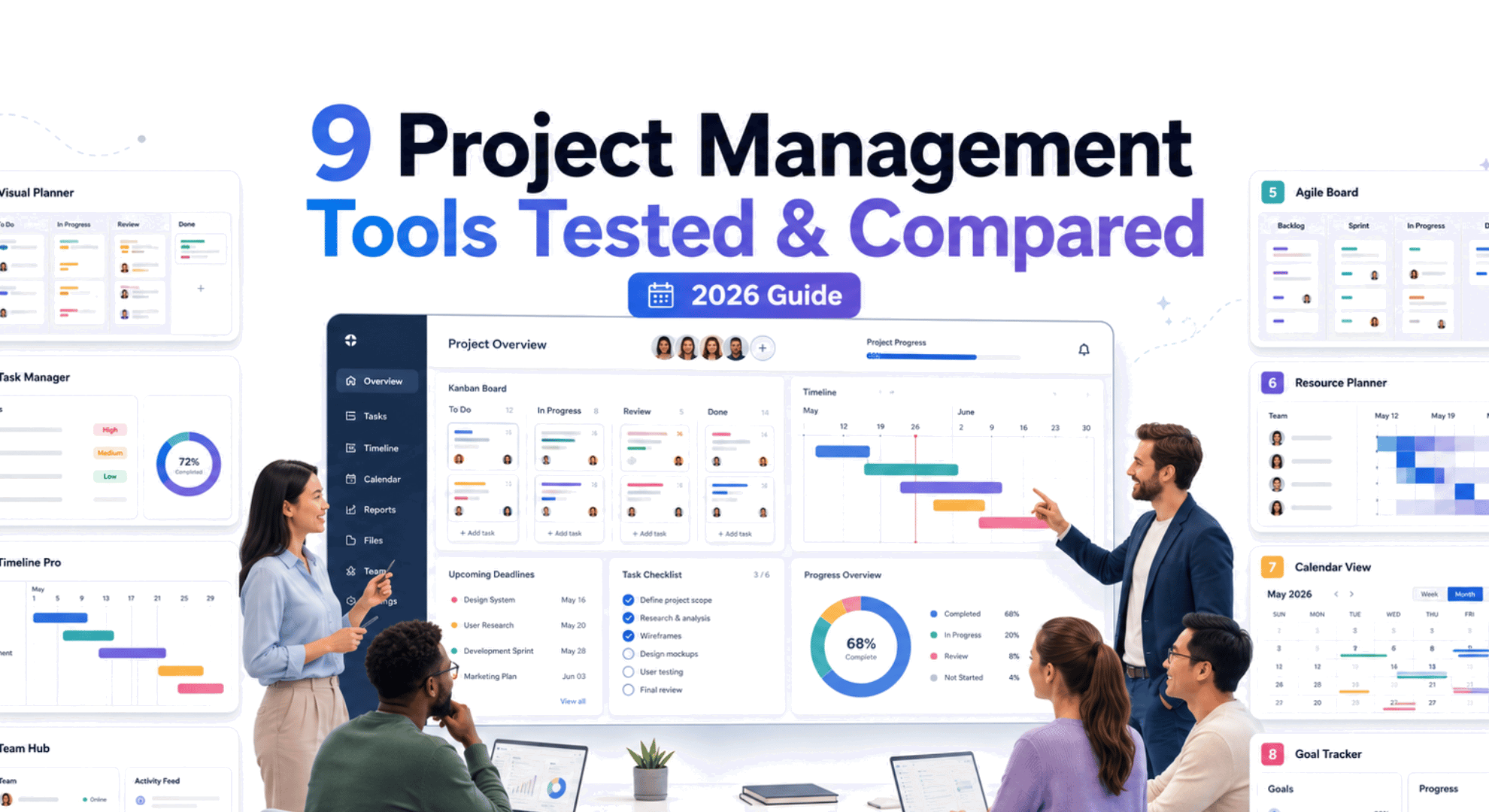
TL;DR
Project management software exists to solve one problem: getting tasks, deadlines, files, and conversations out of scattered spreadsheets, inboxes, and chat threads and into one shared workspace everyone actually trusts. We spent five weeks testing 9 of the most established platforms on the market to see which ones deliver on that promise instead of just adding another tab to check.
This guide is for any team choosing a project management tool in 2026, whether that's a five-person startup, a marketing team drowning in approval chains, or a cross-functional group spanning several departments. Here's how the top 5 stack up at a glance; the full 9-tool comparison and detailed reviews follow below.
Top 5 quick picks
| # | Tool | Best For | Starting Price |
|---|---|---|---|
| 1 | GoodDay | Full-featured PM without enterprise pricing | $4/user/mo |
| 2 | Asana | Cross-functional teams | $10.99/user/mo |
| 3 | monday.com | Visual, customizable workflows | $9/seat/mo |
| 4 | ClickUp | All-in-one work management | $7/user/mo |
| 5 | Jira | Agile software development | $7.91/user/mo |
How We Tested
We rebuilt the same project in every tool: a six week product marketing launch with four phases (research, content, design, and launch), 20 tasks, dependencies between phases, three internal assignees, and one external "client" collaborator added as a guest. For each platform, we timed how long it took to get from signup to a working, shareable project, then kept using it for the rest of the five-week testing window on its free or trial tier. Where a feature sat behind a paid plan we couldn't fully trial, we verified it directly against the vendor's own pricing and documentation pages rather than guessing. Testing ran on Chrome and Safari on macOS, plus each platform's iOS app for a mobile pass.
We scored every tool against six criteria:
- Time to a working project — how long from signup to a shareable board with real tasks, owners, and dates.
- View flexibility — whether list, board, calendar, and timeline/Gantt views share the same underlying data or feel bolted together.
- Automation — could we build a no-code rule (e.g., notify a channel when a task's status changes) without hitting a paywall or a usage cap almost immediately.
- Collaboration & permissions — commenting, guest/external access, and approval workflows.
- AI features — whether the AI actually generates or summarizes work, or just autocompletes text.
- Reporting & cross-project visibility — dashboards or portfolios that roll several projects into one view for a manager.
Quick comparison table
All prices are per user, per month, billed annually, in USD, and verified as of July 2026. Several vendors changed pricing mid-year, and most charge more for monthly billing confirm current rates before you buy.
| # | Tool | Best For | Free Plan | AI Features | Starting Price | Our Rating |
|---|---|---|---|---|---|---|
| 1 | GoodDay | Full-featured PM without enterprise pricing | Yes, 15 users | AI Chat & Agents (Business+) | $4/user/mo | 4.7/5 |
| 2 | Asana | Cross-functional teams | Yes, 2 users | Asana AI, AI Studio (Starter+) | $10.99/user/mo | 4.6/5 |
| 3 | monday.com | Visual, customizable workflows | Yes, 2 seats | AI credits + Sidekick (all paid tiers) | $9/seat/mo | 4.5/5 |
| 4 | ClickUp | All-in-one work management | Yes, unlimited members | Brain AI add-on ($9–28/user/mo) | $7/user/mo | 4.5/5 |
| 5 | Jira | Agile software development | Yes, 10 users | Atlassian Intelligence (Premium+) | $7.91/user/mo | 4.6/5 |
| 6 | Notion | Docs-first teams & knowledge management | Yes, 1 user | Full AI on Business+ only ($20/user/mo) | $10/user/mo | 4.4/5 |
| 7 | Trello | Simple visual task tracking | Yes, 10 boards | Atlassian Intelligence (Premium+) | $5/user/mo | 4.3/5 |
| 8 | Smartsheet | Spreadsheet-minded PMOs & enterprise | No, 30-day trial only | Smart Assist (Pro+); deeper AI Enterprise+ | $12/user/mo | 4.2/5 |
| 9 | Wrike | Complex, multi-department projects | Yes, 5 users | AI Essentials free on every tier | $10/user/mo | 4.4/5 |
Best 9 Project Management Software for Teams
Detailed reviews what each does well, where it falls short, and who it's for.
1. GoodDay
Best for: Teams that want the full depth of an enterprise PM suite projects, resourcing, CRM, and finance without paying enterprise prices.
Why I picked it: GoodDay was the surprise of this whole test. Most tools in this roundup make you choose between "generous free tier" and "genuinely deep feature set" GoodDay is the only one that didn't force that trade-off. There are custom views, unlimited project hierarchy, 100+ templates for various processes, dashboards, integrations, and custom workflows, all without hitting a paywall nearly as fast as everywhere else. For the widest range of teams, GoodDay's free plan is exceptionally generous for task management, while its paid plans add advanced capabilities such as workload & resource management, delivering the most complete package per dollar of anything we tested.
Key features:
- Unlimited project hierarchy and 20+ views, including Gantt, Kanban, Table, and Calendar.
- Built-in CRM, time tracking, customer portal, advanced analytics, finance/expense tracking, custom branding, and automations .
- AI Chat and agents.
What's free: The free plan covers up to 15 users with unlimited projects and tasks, 1GB of storage, dashboards, integrations, templates, and custom views.
Paid from: $4/user/month billed annually ($6/user/month month-to-month) — Professional plan unlocks unlimited storage, time tracking, Gantt views, and unlimited automations.
Pros:
- The Business tier bundles CRM, expense tracking, and resource management that competitors charge much more for or don't offer at all.
- The free plan allows up to 15 users, far more generous than Asana's or monday.com's 2-seat free caps.
- Unlimited project hierarchy is available from the free plan, not gated to a paid tier.
Cons:
- The breadth of modules (HR, CRM, finance, and goals all in one place) means more setup decisions before a team sees real value.
- Prioritizes productivity over social features.
- Even though it’s overall user-friendly, it takes time to fully learn and configure its advanced workflows.
2. Asana
Best for: Cross-functional teams that need clear ownership without a training session.
Why I picked it: Asana hits the best balance of structure and simplicity of anything we tested, a marketing team can run a campaign next to product's roadmap without either group needing to learn the other's workflow. It's the tool I'd hand to a mixed room of technical and non-technical stakeholders on day one.
Key features:
- Multiple project views (list, board, calendar, Timeline, Gantt) built on the same underlying tasks.
- Workflow Builder and unlimited automation rules from the Starter plan up.
- Portfolios and workload/capacity views for tracking work across several projects at once (Advanced+).
- Forms that route incoming requests directly into a project.
What's free: The Personal plan covers up to 2 users with list, board, and calendar views, unlimited tasks and projects, and 100+ integrations.
Paid from: $10.99/user/month (billed annually), unlocks Timeline/Gantt views, Workflow Builder, dashboards, and Asana AI.
Pros:
- Clean interface relative to how much depth is underneath it.
- Huge integration library (100+) available even on the free plan.
- Workload and capacity views give managers visibility across every project a person is on (Advanced+).
Cons:
- No true single-seat paid plan, Starter requires a 2-seat minimum, so solo users pay for a seat they don't need.
- Portfolios, workload views, and native time tracking are locked to the $24.99 Advanced plan or a separate paid add-on.
- Seats are sold in fixed increments (1, 5, 10, 25, or 50), which can leave a growing team paying for licenses nobody's using yet.
3. monday.com
Best for: Teams that want to build their own process rather than adopt someone else's template.
Why I picked it: monday.com's boards adapted to almost anything we threw at them, we rebuilt the same project as a list, a timeline, and a workload view without re-entering a single field. It's the most visually flexible tool in this roundup, which is exactly why creative and ops teams gravitate to it.
Key features:
- Boards with 8+ column types that can model almost any workflow, not just tasks.
- Cross-board dashboards that roll multiple projects into one executive view.
- AI Sidekick assistant and AI-powered columns included on every paid tier.
- 200+ templates spanning marketing, ops, dev, and HR use cases.
What's free: The free plan covers up to 2 seats with 3 boards, 3 docs, and 200+ templates.
Paid from: $9/seat/month (billed annually), unlocks unlimited items, AI credits, and the Sidekick assistant.
Pros:
- Boards flex into almost any process, task tracker, CRM, editorial calendar without leaving the platform.
- Dashboards pull live data from multiple boards for a real portfolio view.
- Onboarding is fast thanks to 200+ ready-made templates.
Cons:
- AI is metered by credits on top of your seat price, so heavy AI use adds a second, harder-to-predict line item.
- Automations and API calls are capped per tier (250 actions/month on Standard), which forces an upgrade once workflows get busy.
- Seats are sold in fixed group sizes (starting at 3, then multiples of 5), so a 6-person team pays for 10 seats.
4. ClickUp
Best for: Teams that want tasks, docs, goals, and chat in one workspace without paying for five separate tools.
Why I picked it: ClickUp is the only tool here that seriously tries to replace three or four other apps at once, and it does it without charging separately for most of what it replaces. For a team that doesn't want to stitch together five different SaaS subscriptions, nothing else in this roundup matches its feature-per-dollar.
Key features:
- Tasks, Docs, Whiteboards, Goals, and Chat live in one workspace.
- Custom statuses, task types, and multiple assignees per task.
- Native time tracking and Gantt charts included from the Unlimited plan.
- Sprint points and sprint reporting for teams running Agile.
What's free: The Free Forever plan supports unlimited tasks and unlimited members but caps total storage at 60MB, shared across your whole team.
Paid from: $7/user/month (billed annually) unlocks unlimited storage, Gantt charts, time tracking, and goals (AI is a separate $9–28/user/month add-on).
Pros:
- Cheapest "unlimited" paid tier in this roundup at $7/user/month, and it includes Gantt charts and time tracking.
- Free plan allows unlimited members, unusual among the tools we tested.
- One workspace can genuinely replace separate docs, chat, and goal-tracking tools.
Cons:
- The free plan's 60MB storage cap is shared team-wide, so a single design file or screen recording can exhaust it.
- AI (ClickUp Brain) is a separate per-seat add-on costing $9–28/user/month, not included in any workspace plan.
- The sheer number of settings and views makes initial setup slower than simpler tools like Trello.
5. Jira
Best for: Software development and engineering teams running Agile.
Why I picked it: No other tool here handles a real sprint the way engineering teams actually run one, backlog grooming, story points, burndown charts, and a two-way GitHub sync all work the way a developer expects from day one. It's the easy call for any team that ships code.
Key features:
- Scrum and Kanban boards purpose-built for sprint planning and backlog grooming.
- Deep two-way integrations with GitHub, GitLab, Bitbucket, and CI/CD pipelines.
- Advanced Roadmaps for cross-project dependency planning (Premium+).
- Atlassian Intelligence for AI-assisted issue summaries and automation (Premium+).
What's free: The free plan covers up to 10 users with full Scrum and Kanban boards and 2GB of storage.
Paid from: $7.91/user/month (billed annually) unlocks 250GB of storage, audit logs, and over 1,700 monthly automation runs.
Pros:
- Best-in-class sprint, backlog, and issue tracking with native Git and CI/CD integrations.
- Free plan supports 10 users with full Scrum/Kanban functionality, not a stripped-down demo.
- Per-seat pricing actually drops at volume (100+, 250+, 500+ users), unlike flat per-seat competitors.
Cons:
- Atlassian Intelligence and Advanced Roadmaps require Premium, an 84%+ jump over Standard's per-seat price.
- Most real deployments end up needing Confluence and/or Jira Service Management alongside it, which stacks costs well past the headline price.
- The terminology and configuration (issue types, workflows, schemes) is genuinely unfriendly to non-technical teams.
6. Notion
Best for: Teams that treat documentation and project tracking as equally important.
Why I picked it: Notion is the only tool here where the plan and the reasoning behind it live in the same place specs, meeting notes, and the task database that tracks them are one connected workspace instead of three separate tools. Teams that live in docs as much as tasks will feel the difference immediately.
Key features:
- Databases that power list, board, calendar, and timeline views from a single data source.
- Docs, wikis, and meeting notes sitting alongside the task databases that track them.
- Notion Agent for multi-step actions, like building a tracker from a meeting summary (Business+).
- Forms and lightweight automations for simple intake workflows.
What's free: The free plan gives one user unlimited pages and blocks, 10 guest invites, and a limited trial of Notion AI.
Paid from: $10/user/month (billed annually) unlocks unlimited file uploads, 30-day version history, and unlimited guests (full Notion AI requires the $20/user/month Business plan).
Pros:
- Docs, wikis, and task databases live in one connected workspace instead of three separate tools.
- Views (board, calendar, table, timeline) are built from the same underlying database, so switching views doesn't mean rebuilding anything.
- The free plan is unusually generous for a single user, with unlimited pages and blocks.
Cons:
- As of 2026, full Notion AI (Notion Agent, AI Meeting Notes) requires the $20/user/month Business plan the old standalone AI add-on was discontinued.
- No native Gantt chart or time tracking; scheduling tools are thinner than Asana's or monday.com's.
- A Notion workspace is only as organized as the person who built it, which can leave unstructured teams with a mess of ad hoc databases.
7. Trello
Best for: Small teams or single projects that need to launch today, not after a setup process.
Why I picked it: Trello is the fastest tool in this roundup to go from "sign up" to "team is actually using it" there's no methodology to learn and no fields to configure, just a board. For a small team that doesn't need dependencies or resourcing, that simplicity is the whole point.
Key features:
- Kanban boards, lists, and cards with drag-and-drop simplicity.
- Butler automation for no-code rules, with 250 free runs per month.
- Calendar, Timeline, Dashboard, and Map views for visualizing work differently (Premium+).
- Unlimited Power-Ups for extending boards with third-party functionality.
What's free: The free plan covers up to 10 boards and 10 collaborators per workspace, with 250 Butler automation runs per month.
Paid from: $5/user/month (billed annually) unlocks unlimited boards, custom fields, and 1,000 automation runs per month.
Pros:
- The fastest onboarding of any tool we tested a working board in minutes, with no training required.
- The free plan remains genuinely usable, with unlimited cards and 10 boards.
- Standard, at $5/user/month, is the cheapest paid seat in this entire roundup.
Cons:
- No native time tracking, resource management, or task dependencies on any plan this is a kanban board, not a full PM suite.
- Calendar, Timeline, Dashboard, and Map views, plus AI, are locked to the $10/user/month Premium plan.
- Butler's free-tier allowance (250 runs/month) is easy to exhaust with even one active automation on a busy board.
8. Smartsheet
Best for: Spreadsheet-fluent operations teams and PMOs managing structured, large-scale programs.
Why I picked it: Smartsheet is the one tool here that looks and behaves like the spreadsheets most operations and PMO teams already run their business in, just with real automation and reporting layered on top. Teams that have outgrown Excel but don't want to abandon that mental model will onboard faster here than anywhere else on this list.
Key features:
- Grid, Gantt, card, and calendar views built on a spreadsheet-style data model.
- Cross-sheet formulas and cell linking for connecting data across projects.
- Conversational AI (Smart Assist, Smart Columns) for summarizing and analyzing sheet data.
- Workload tracking and unlimited automations on the Business tier.
What's free: There is no permanent free plan only a 30-day trial.
Paid from: $12/user/month (billed annually, capped at 10 members), unlocks Gantt, board, and calendar views, 250 automations/month, and Smart Assist AI.
Pros:
- The grid interface means teams already fluent in Excel need almost no ramp-up time.
- The Business tier's unlimited automations, 1TB of storage, and workload tracking are built for running many concurrent projects.
- Direct integrations with Power BI, Tableau, and now Claude and ChatGPT for pulling project data into other tools.
Cons:
- The only tool in this roundup with no permanent free plan just a 30-day trial, so there's no lightweight way to test it long-term with a real team.
- Deeper AI (formula generation, text summarization, ad hoc chart creation) is locked to the custom-priced Enterprise tier.
- The entry-level Pro plan caps out at 10 members, forcing a jump to Business's pricier, 3-seat-minimum tier as soon as a team grows.
9. Wrike
Best for: Organizations running complex projects across multiple departments that share resources.
Why I picked it: Wrike is built for the specific problem of several departments sharing one pool of people and time its resource and capacity-planning tools at the Pinnacle tier are genuinely enterprise-grade, not just a reporting dashboard with an enterprise label. It's the pick for an organization that has outgrown "everyone uses their own tool."
Key features:
- Gantt charts, board, and table views available even on the free plan.
- Custom fields, request forms, and approval workflows for standardizing work intake.
- Resource and capacity-planning tools (job roles, bookings, utilization) at the Pinnacle tier.
- AI Essentials (content editing, summarization, automation suggestions) included free on every tier.
What's free: The free plan covers up to 5 users, 200 active tasks, and 2GB of storage, and it's one of the few free tiers that includes Gantt charts.
Paid from: $10/user/month (billed annually, 2–15 users on the Team plan) unlocks unlimited tasks, request forms, and 50 automation actions per user per month.
Pros:
- One of only two tools in this roundup (with ClickUp) offering Gantt charts on a free plan.
- AI Essentials content editing, summarization, natural language automation suggestion now ships free on every tier, including Free.
- Scales cleanly into enterprise territory with dedicated resource planning, budgeting, and BI-API reporting at Pinnacle.
Cons:
- Licenses are sold in fixed bands (groups of 5 below 30 seats, 10 up to 100, 25 above), so a 6-person team must buy 10 seats.
- The Business tier requires annual billing and a 5-seat minimum, removing the flexibility to pay monthly once you outgrow Team.
- Heavier "AI Elite" actions (agents, widget generation) are quota-limited even on paid tiers, and overage pricing wasn't fully public as of this writing.
The verdict
After five weeks testing all nine platforms, GoodDay emerged as the best overall value. It offers a generous free plan, paid plans that start at just $4 per user per month, and the depth of a much more expensive project-management suite.
Asana remains the easiest recommendation for cross-functional teams that need structure without overwhelming non-technical users, while monday.com is the strongest option for teams that want to customize every part of their workflow. ClickUp delivers the most features in one workspace, and Jira is still the clear choice for software teams running sprints and managing development work.
The remaining tools win more specialized comparisons: Notion for documentation-heavy teams, Trello for simple Kanban tracking, Smartsheet for spreadsheet-minded operations teams, and Wrike for organizations managing complex work and shared resources across departments. The best platform is not necessarily the one with the longest feature list it is the one your team can adopt, maintain, and trust every day.
Pick by use case
A quick decision guide if you do not want to read all nine reviews:
- Best overall value and feature depth → GoodDay
- Best for cross-functional teams → Asana
- Best for visual, customizable workflows → monday.com
- Best all-in-one workspace → ClickUp
- Best for Agile software development → Jira
- Best for docs, wikis, and project tracking together → Notion
- Best for simple Kanban boards and fast onboarding → Trello
- Best for spreadsheet-minded PMOs and operations teams → Smartsheet
- Best for complex, multi-department resource planning → Wrike
Frequently Asked Questions (FAQ)
What's the best project management software overall?
For teams working across multiple departments, Asana offers the best balance of structure and ease of use of anything we tested. But "best" depends heavily on your team: Jira wins for software development, Notion wins if documentation matters as much as tasks, and GoodDay wins on features-per-dollar if budget is the deciding factor.
What's the best free project management tool?
ClickUp and Wrike have the most generous free plans in this roundup, ClickUp for unlimited members, Wrike for including Gantt charts at no cost. Asana, monday.com, GoodDay, Jira, Notion, and Trello all have usable free tiers too, but Smartsheet is the exception: it offers only a 30-day trial, not a permanent free plan.
Which project management tool is easiest for a small team to start using?
Trello is the fastest to onboard most people can build a working board in minutes with no training. If your team will eventually need dependencies, time tracking, or resource planning, it's worth checking early whether you'll outgrow Trello within a year.
What's the best project management software for software development teams?
Jira remains the standard for engineering teams because of its native Scrum and Kanban boards, backlog management, and two-way integrations with GitHub, GitLab, and CI/CD tools. ClickUp and monday.com both offer dev-friendly features if you want something less specialized than Jira for a mixed technical and non-technical team.
Do I actually need AI features in a project management tool?
It depends on how your team already works. If you want AI that can summarize a long task thread, draft a status update, or build a dashboard from a plain-language prompt, look at monday.com, Notion Business, or Smartsheet's Smart Assist. If AI isn't a priority, several tools here Trello, or Notion's free and Plus plans work perfectly well without it.
How much does project management software typically cost?
Paid plans in this roundup start as low as $5/user/month (Trello Standard) and run up to $25/user/month (Wrike Business) before enterprise pricing, with most mainstream tools landing between $7 and $13/user/month billed annually. Almost every vendor charges more for monthly billing, and several monday.com, Wrike, ClickUp sell seats in fixed group sizes rather than exact headcounts, which can push real costs above the sticker price.
Can I switch project management tools later without losing my data?
Yes. Every tool in this roundup supports CSV or Excel export at minimum, and most Asana, ClickUp, monday.com, Notion, Smartsheet also offer direct migration importers for popular competitors. Still, export a backup before any big migration, since automations and custom fields rarely transfer automatically.
Which project management tool is best for agencies or teams billing clients?
GoodDay and Smartsheet both include budgeting, expense tracking, and resource or workload management aimed at billable work, and Wrike's Business and Pinnacle tiers add job-role-based billing rates. Asana and monday.com can approximate this with time-tracking integrations and custom fields, but neither has native billing built in at the same depth.